Beyond the Screen: How a Modern Data Center Really Works
Contents
- 1. The Building That Powers Your Digital World
- 2. Electricity: The First Link in the Chain
- 3. Power Distribution: The Final Steps Before the Server
- 4. Cooling: The Battle Against Heat
- 5. The Server Rack: Where Everything Comes Together
- 6. Networking: The Highways Between Servers
- 7. Monitoring: The Team That Watches Everything
- 8. Redundancy: Preparing for the Day Something Fails
- 9. Efficiency: Measuring More Than Computing Power
- 10. Security: Protecting the Machines and the Data
- 11. The Future: Denser Racks and Smarter Infrastructure
- Final Thoughts
For movie watching, messaging, or asking queries from AI, you require a building that runs continuously. This is the modern data center for you, where energy converts to computational power, where heat presents engineering problems, and where millions of tiny processes manage your digital world.
1. The Building That Powers Your Digital World
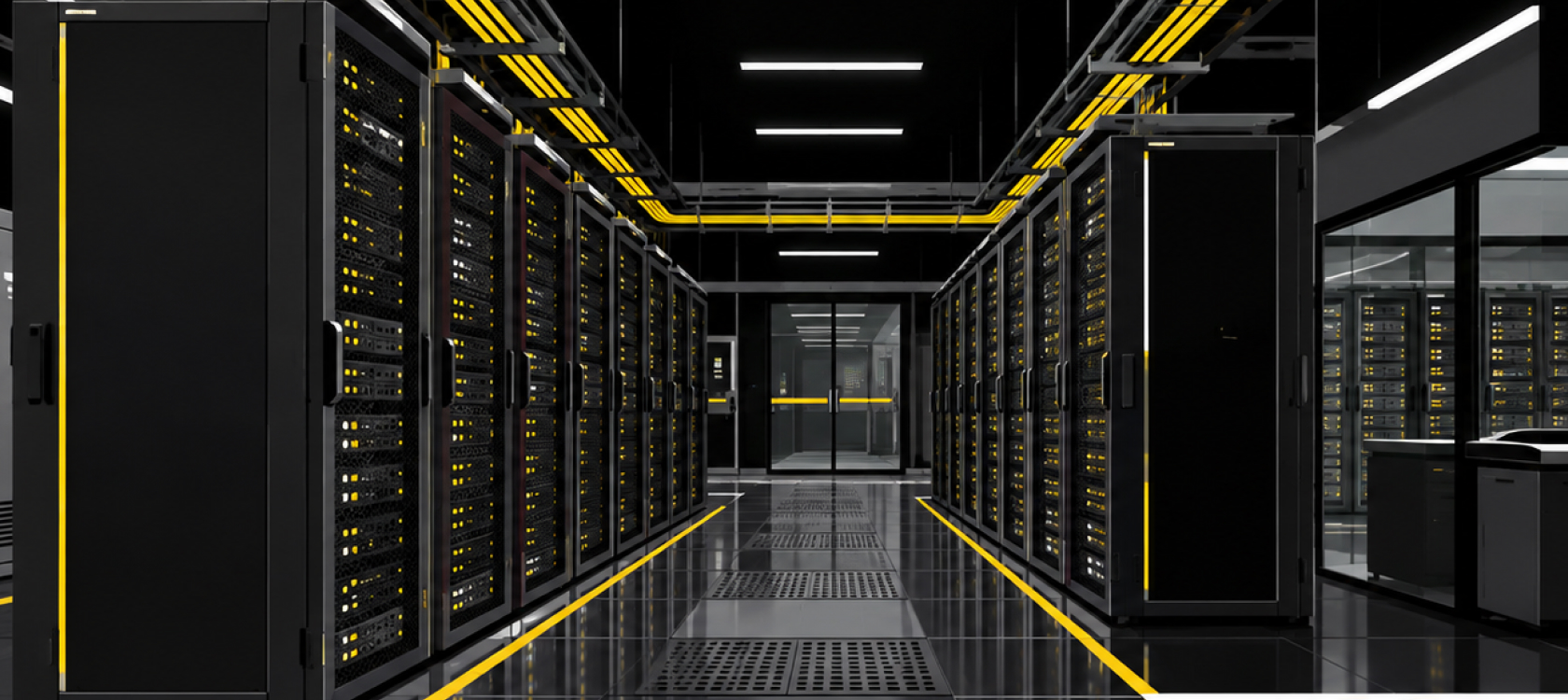
This is a picture of a building with racks of metal cabinets. Fans operate continuously. Cables snake above your head and below your feet. Engineers monitor dashboards displaying temperatures, power and network traffic.
One would assume that there are regular computers used here. But what one finds is a complete ecosystem of industry geared towards the processing, storing, and transferring of data.
The place is referred to as a data center. It consists of servers, storage, networking devices, as well as supporting infrastructure. The web site you like may have servers scattered throughout different places. Also, the cloud service may be distributing its load across many data centers.
Everything is important. An effective server can achieve nothing without electricity. Electricity will not help a server that is overheated. And finally, fully operational hardware will not transfer your files through a failed network
2. Electricity: The First Link in the Chain
Electricity consumption in a data center is much higher than you may think. It is required by servers, but they are not the only consumers of power. Various cooling appliances, pumps, fans, lightening, and control devices also require power supply.
Engineers have to provide reliable electricity supply in normal conditions and an immediate reaction in emergency situations.
It usually starts with the utility power grid. Transformers step down the voltage to match the electric requirements of the data center facility. Switchgear controls the electricity distribution circuitry. And finally, electrical panels distribute electricity to the devices which need it.
But what will happen in case of power outage in the grid?
The UPS: A Bridge Between Power Sources
A UPS, or uninterruptible power supply, is used to guard vital pieces of equipment against power problems of specific kinds. A UPS may also offer power through the use of batteries in cases where the input power fails.
The UPS can be thought of as a connector that will help keep powered equipment operating during the process of switching to another source of power or bringing down the equipment. Nowadays, UPSs usually use power electronics and batteries to offer conditioned power.
In the case of prolonged power failure, data centers can use backup generators. Backup generators require fuel, servicing, and an efficient start-up system.
The UPS responds almost immediately. A generator can sustain the load for much longer, provided it starts successfully and has enough fuel.
Our experts also pay close attention to redundancy. Some facilities use independent power paths, redundant equipment, or both. The exact design depends on the required availability, budget, and operational risk.
Here is the important detail: a backup component does not guarantee uninterrupted service by itself. Engineers must design, test, and maintain the complete power chain
3. Power Distribution: The Final Steps Before the Server
But there is some work left for electricity after its distribution via major electric systems. A data center delivers electricity via several tiers. Depending on the system architecture, these tiers can comprise switchboards, UPS output, power distribution units, remote power panels, and rack power distribution units.
Electricity delivery inside a server rack is performed by the rack PDU. In addition, the rack PDU may be responsible for measuring the energy consumption and delivering electric conditions to monitoring applications.
Let us consider a server rack which contains a few servers, network switches, and storage systems. Each piece of equipment needs a proper electricity delivery to be powered. Moreover, the engineers should take into consideration such factors as electrical load, capacity of circuits and connectors, as well as behavior of the equipment during the failure.
Most modern servers are equipped with two power supplies. And each supply can be plugged to another power path if it is possible in the infrastructure design
4. Cooling: The Battle Against Heat
There is an important thing that you should know, which is the fact that most of the electricity used for running computers turns into heat.
The CPU calculates something. The memory stores some data. The storage devices write and retrieve information. The fans circulate the air around the computer parts. Each working part produces heat.
If there is no proper cooling system, then the temperatures may get too high, which will lead to decreased server operation, server shutdowns, or server failure under extreme conditions.
Traditionally, the air cooling systems have been applied in the data centers. Fans circulate the air around the servers, and the heated air is directed towards the cooling systems. Air conditioning or air handling systems are used to regulate the air temperature and distribution.
Why Data Centers Separate Hot and Cold Air
Walk through a well-designed server room and you may notice that the racks face in opposite directions. This arrangement creates cold aisles and hot aisles
Servers draw cool air through their front panels. Their fans push the warmed air out through the rear. When engineers align the server fronts toward one aisle and the backs toward another, they can manage airflow more effectively.
Containment systems can separate the two air streams. Cold-aisle containment keeps the supply air in the intake area. Hot-aisle containment captures exhaust air before it mixes with the cooler supply.
Why should you care about this arrangement? Because mixing hot and cold air wastes cooling capacity. It can also create uneven temperatures across the racks.
When Air Is Not Enough
There are workloads like AI training, which allow concentrating great computational power in a limited space. GPUs generate a lot of heat in particular. While air cooling is essential, sometimes there is a need for other measures.
In direct-to-chip liquid cooling, a coolant is circulated through cold plates, mounted on processors or other hot components. The heat is absorbed near the source. Then, it is transferred to another cooling system or rejected from the data center.
Some systems have rear-door heat exchangers, others are using immersion cooling in which compatible hardware is placed in a specially designed dielectric fluid.
Liquid cooling is not a replacement for airflow management, electrical safety or proper facility planning. There are different demands connected with pumps, plumbing, leak detection, compatibility with the fluid and maintenance
5. The Server Rack: Where Everything Comes Together
Now we reach the part most people picture when they hear the words data center.
A server rack is a standardized frame that holds computing equipment. Many racks use the 19-inch equipment-mounting standard, although rack dimensions and equipment designs vary.
Engineers measure rack height in rack units, written as U. One rack unit equals 1.75 inches, or 44.45 millimeters. A device described as 2U occupies twice that vertical mounting space.
Inside a rack, you might find several types of equipment:
- Compute servers:These run applications, process requests, and perform calculations.
- Storage systems: These hold files, databases, backups, and other digital information.
- Network switches: These connect servers to each other and to the wider network.
- Rack PDUs: These distribute power to the installed equipment.
- Cable management hardware: These components keep power and data cables organized and accessible.
The arrangement depends on the workload. A rack built for general-purpose computing may look very different from one designed for AI training or high-speed storage.
What Actually Happens Inside a Server?
Open a typical server and you will find a compact collection of specialized components. The CPU executes instructions and handles a broad range of computing tasks. Memory gives active applications fast access to the data they need. Storage preserves data for later use. Network adapters connect the server to other systems. Power supplies convert incoming electricity into the voltages required by internal components.
Fans or liquid-cooling components manage heat, depending on the server design. Consider what happens when you open a website. Your request travels through a network to the systems responsible for that service. A server may execute application code, query a database, retrieve stored content, or communicate with other servers. The response then travels back to your device.
One request may involve several machines. A large service may distribute the work across many servers and locations.
That is the real power of the data center. It doesn't depend on one magical computer. It combines many specialized systems into a coordinated service
6. Networking: The Highways Between Servers
The most powerful server becomes less effective without proper communication. Network switches connect devices within the data center. Routers and other network devices assist with directing traffic between networks. The fiber optic cable transmits high volumes of information over the link designed to handle speed and distance.
Some links provide communication between servers that are in the same rack. Some links connect racks, buildings, and other networks.
Network architects have to think about bandwidth, latency, redundancy, and congestion. Bandwidth is the term used to refer to the amount of data that a certain link is able to transmit. Latency is the term used to describe the time it takes for information to travel.
These characteristics are important for different purposes. A cloud storage system requires reliability of the connection. An AI cluster may require fast communication between accelerators. Financial application requires low latency.
Additional links can be effective only in combination with switching, routing, software, and capacity planning. The color of the cable can help to distinguish links, but does not provide any universal standard by itself. Proper documentation is extremely important.
7. Monitoring: The Team That Watches Everything
A modern data center needs more than hardware. It needs people and systems that understand what the hardware is doing. Monitoring platforms collect information about server health, power consumption, temperatures, cooling equipment, network traffic, and other operating conditions.
Data center infrastructure management software, often called DCIM, can help operators track assets and visualize relationships between equipment and facility systems. Building management systems can monitor and control parts of the building's mechanical and electrical infrastructure.
These tools do different jobs, but they can exchange information to give engineers a clearer picture of the facility.
Imagine that a sensor detects a rising temperature near a rack. Monitoring software can alert the operations team. Engineers can investigate airflow, fan performance, workload changes, or cooling capacity before the situation becomes more serious.
Automated controls can also adjust fan speeds or cooling output according to measured conditions. Automation helps, but it does not eliminate the need for trained operators, maintenance, and incident procedures.
8. Redundancy: Preparing for the Day Something Fails
There are certain reasons why data centers should be prepared for failures since even good components might break. The UPS battery might deteriorate. A cooling pump could fail. There could be a failure in the network connection. Even the power supply might become faulty. It is impossible to foresee and prevent all the potential problems, therefore, the engineers should create a system that will tolerate certain failures.
You may meet the terms N, N+1, and 2N when speaking about data center design. N stands for the amount of resources necessary to carry the required load. N+1 means having one additional resource. 2N usually refers to two separate systems, each capable of carrying the required load.
These definitions do not provide any guarantees concerning availability.
For instance, a facility could have two cooling towers but hook them up to the same fragile electrical supply. This interdependence would render any benefits moot.
Besides looking at each component, engineers look at how the entire facility reacts when there is an error or maintenance going on. They must also make sure that their backups are capable of handling the load
9. Efficiency: Measuring More Than Computing Power
A data center can deliver impressive computing performance and still waste energy. Operators need ways to measure the relationship between IT energy use and total facility energy use.
One widely used metric is Power Usage Effectiveness, or PUE
You calculate PUE by dividing total data center energy consumption by the energy consumed by IT equipment over the same period. For example, suppose a facility uses 1,000 megawatt-hours of energy during a month. Its IT equipment consumes 700 megawatt-hours. The PUE equals approximately 1.43.
A PUE of 1.0 represents the theoretical ideal in which all facility energy goes to IT equipment. A lower PUE generally indicates that the facility uses less additional energy for cooling, power conversion, and other supporting systems.
However, PUE does not measure everything that matters. It does not directly tell you how useful the computing output is, how much water the facility consumes, or how much carbon its electricity produces.
Some facilities can use favorable outdoor conditions to reduce mechanical cooling demand. Others can capture heat for nearby buildings or district heating networks when local infrastructure makes reuse practical. The best improvement depends on the facility. A design that saves electricity in one climate may not deliver the same result somewhere else.
10. Security: Protecting the Machines and the Data
A data center protects not only physical infrastructure but also digital systems. The former is achieved through controlled access, identity verification, registration of visitors, surveillance, and access restriction to sensitive areas. In addition, operators can compartmentalize the facility so that certain equipment could only be accessed by authorized personnel.
Digital security becomes another level of protection that involves network segmentation, access control, encryption, monitoring, and updates.
These two types of security complement one another but do not replace one another. No matter how powerful network security is, it will not prevent somebody from cutting an unprotected power cord. No matter how well the facility is physically protected, it will not prevent software vulnerabilities.
Data center protection also includes regular backup and recovery processes.
11. The Future: Denser Racks and Smarter Infrastructure
The reason behind the constant evolution of data centers is the increasing workload and the hardware change. The AI industry has triggered the interest in dense racks, GPU technology, better networking solutions, and new cooling methods. For instance, some data centers have already implemented liquid cooling in order to deal with high temperatures of tightly packed CPUs and accelerators.
Meanwhile, the managers are trying to improve energy monitoring processes, to automate maintenance operations, and to find ways to decrease water consumption and recycle the heat.
All these trends give rise to new engineering issues. The rack that uses much more energy should have sufficient electrical capacities, good thermal management capabilities, and a properly planned process of maintenance and expansion.
Servers can be upgraded several times until the infrastructure of the building becomes obsolete. Proper planning can help to adjust to changes without costly reconstruction. The future data center will not be based on a single innovation. It will include better chips, software, cooling system, energy solution, and management techniques.
Final Thoughts
The next time you upload an image, connect via video, or speak to an AI assistant, consider what makes that possible.
Electricity flows within a power system designed for its efficiency. Cooling systems cool the tremendous amount of heat generated by thousands of electronic components. The networks deliver your request to the proper hardware. Servers analyze the information and send back a reply.
Most of the time, we use digital services feeling like they work magically on their own. But there is a world of engineering behind that experience in which the processes of power, cooling, computation, networking, and security need to interact effectively.
A contemporary data center is not just a space containing servers but a highly orchestrated ecosystem converting electrical power and engineering into digital services